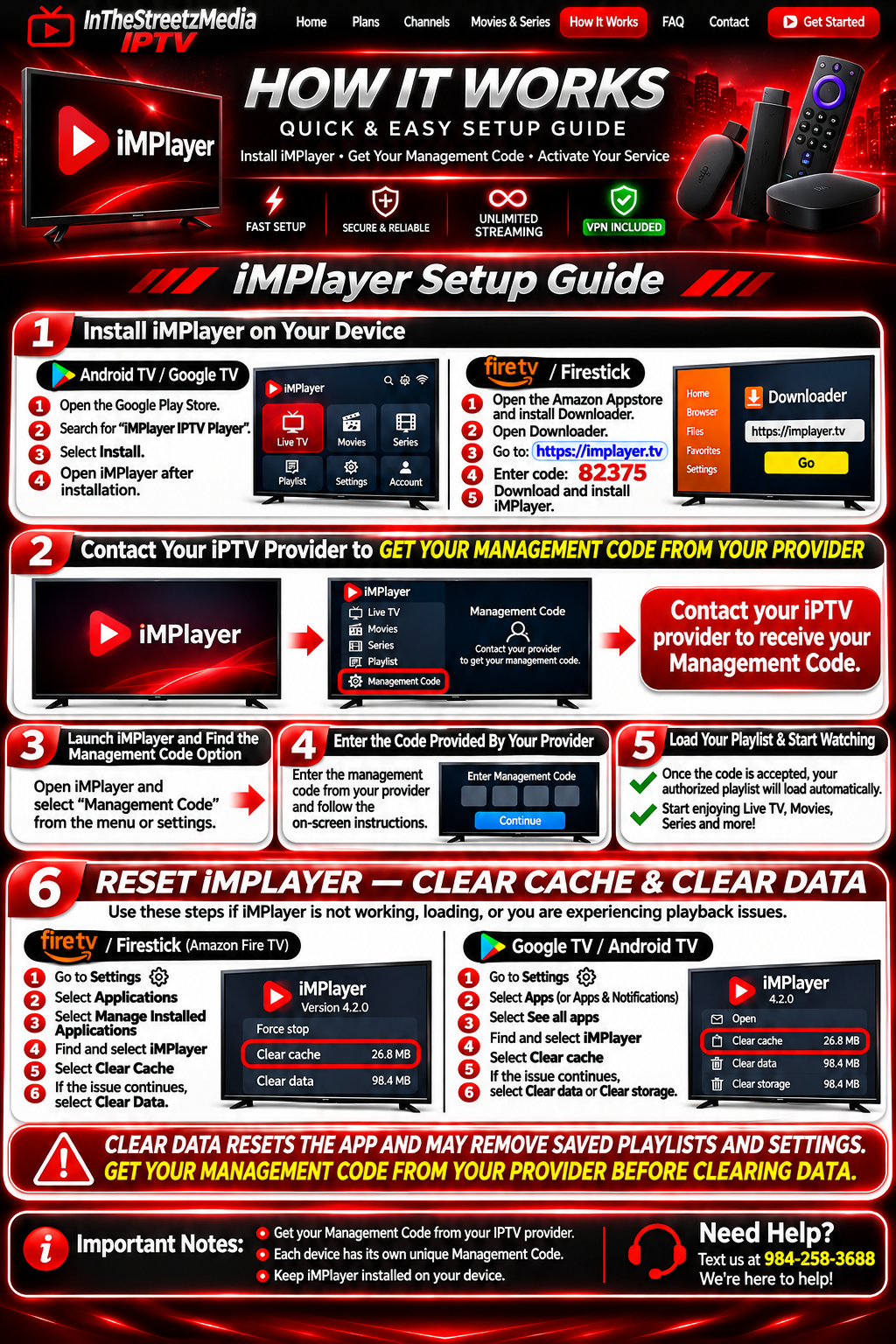
How It Works
Set up your IPTV service in iMPlayer.
iMPlayer Setup
- Install iMPlayer. On Android TV or Google TV, search for iMPlayer IPTV Player in the Play Store. On Fire TV, open Downloader and visit implayer.tv.
- Get your management code. Contact your IPTV provider for the code for your device.
- Enter the code. Open iMPlayer, select Management Code in the menu or settings, then enter the code and follow the on-screen instructions.
- Start watching. Once the code is accepted, your playlist loads in iMPlayer.
Playback or Loading Issues
Open your device settings, choose Apps, select iMPlayer, and clear its cache. If you need to clear app data, get your management code first. Clearing app data can remove saved playlists and settings.
Get Setup Help